How to Use Polymarket


What is Polymarket?
Polymarket is one of the most popular decentralized prediction markets (DeFi prediction platforms) built on the Polygon blockchain.
It lets you trade on real-world outcomes — from global politics and crypto prices to AI and tech innovation.
Here, opinions become tradable markets powered by blockchain transparency, data-driven insights, and collective intelligence.
Examples of popular Polymarket markets:
- 💰 Will Bitcoin hit $100,000 by the end of 2025?
- 🗳️ Who will win the next US election?
- 🤖 Will AI overtake human-generated content by 2026?
Whether you're a DeFi trader, AI enthusiast, or just love speculating on world events, Polymarket offers a new way to profit from what you believe in.
Why Trade Polymarket with ioPay Wallet?
With ioPay, accessing Polymarket is faster, safer, and smoother.
The ioPay Wallet empowers users to connect to multi-chain Web3 apps (including Polygon-based platforms like Polymarket) directly within the app — no extensions, no browser hassles.
Why use Polymarket via ioPay:
- 🔐 Secure Access: Built-in wallet connection with WalletConnect, protecting your private keys at all times.
- 🌐 Multi-Chain Support: Manage assets across IoTeX, Polygon, Ethereum, and BNB Chain.
- ⚡ One-Click Web3 Experience: Access DeFi, GameFi, RWA, and AI-powered dApps easily from the ioPay “Discover” tab.
- 🌍 Aligned with IoTeX Vision: Bridging the real world and blockchain economy through data, prediction, and trusted computing.
By supporting Polymarket, ioPay expands its mission to connect AI + DeFi + real-world data, helping users explore the future of on-chain prediction markets.
Step-by-Step Guide: How to Use Polymarket in ioPay
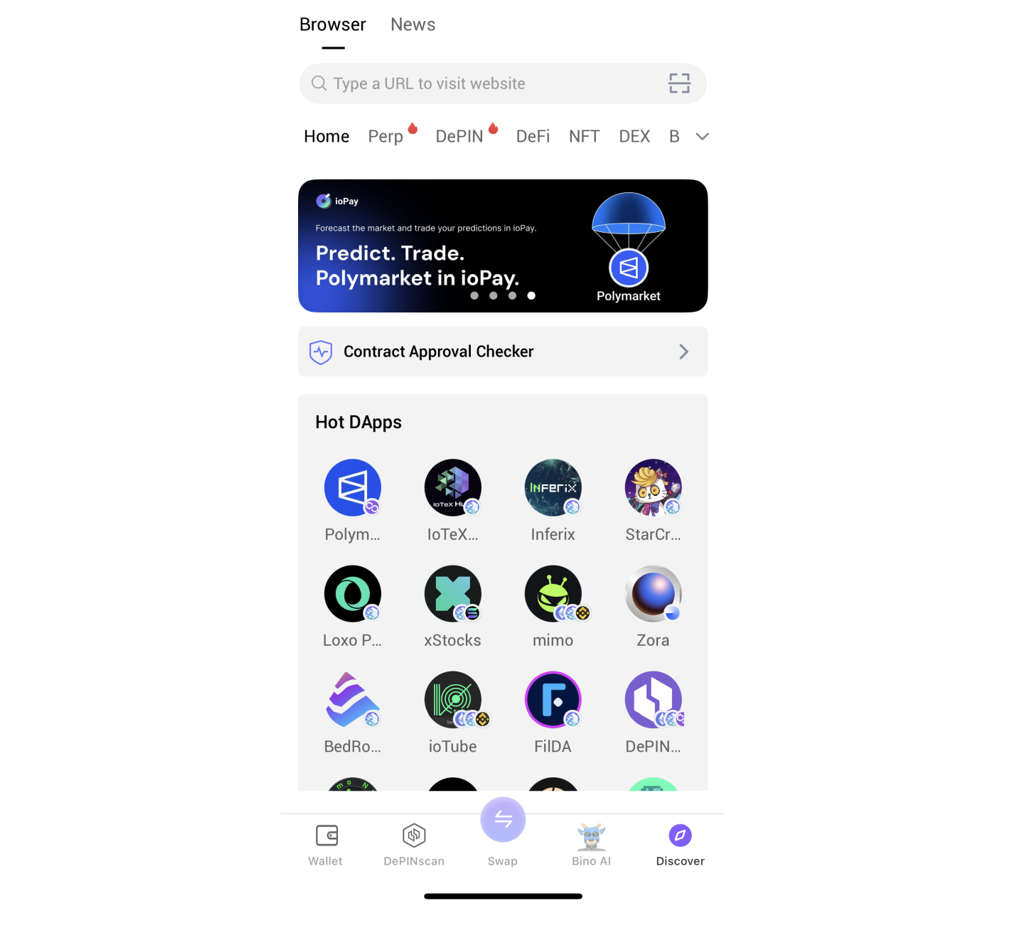
Step 1: Open the Built-in dApp Browser
From ioPay’s main screen, tap the "Discover" icon at the bottom.
This is your gateway to decentralized apps — including Polymarket.
Step 2: Visit Polymarket
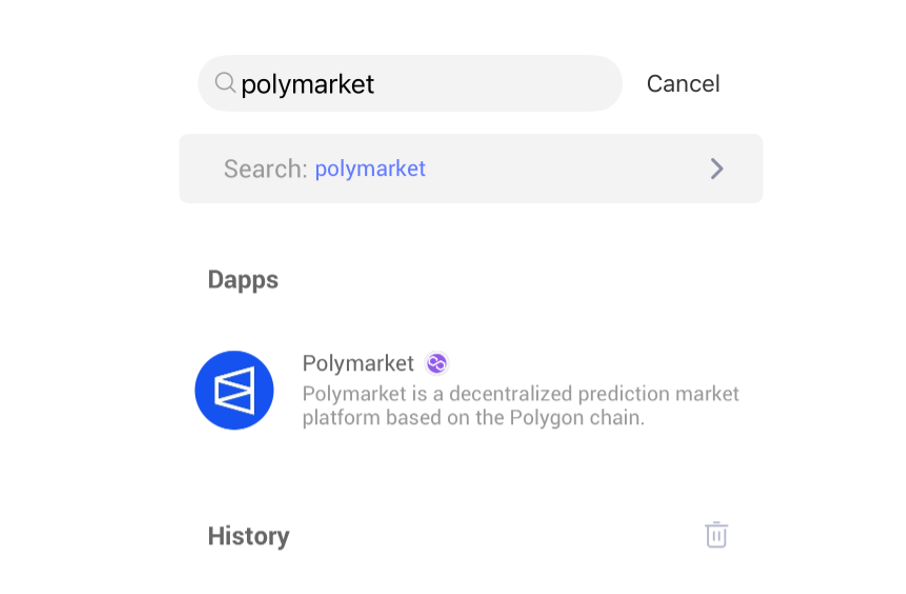
Type "polymarket" into the search bar and you will see Polymarket's dApp icon.
You can also type the official URL into the search bar to reach directly:
Step 3: Connect Your Wallet
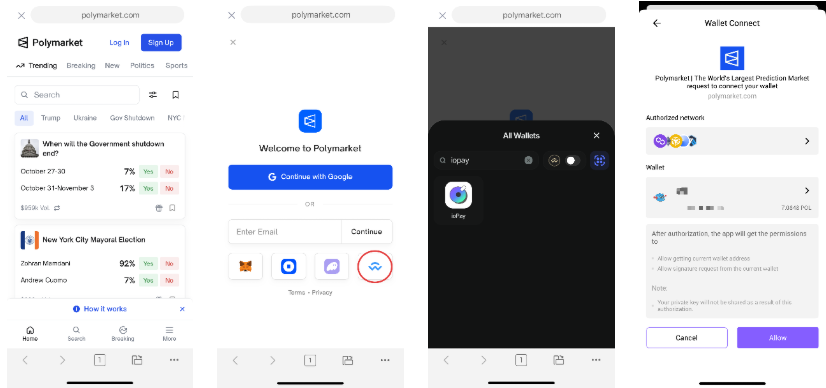
Click "Log In" or "Sign Up" on Polymarket, choose WalletConnect on the interface, search ioPay and click it.
After allowing authorization in the pop-up window, the wallet can be successfully connected.
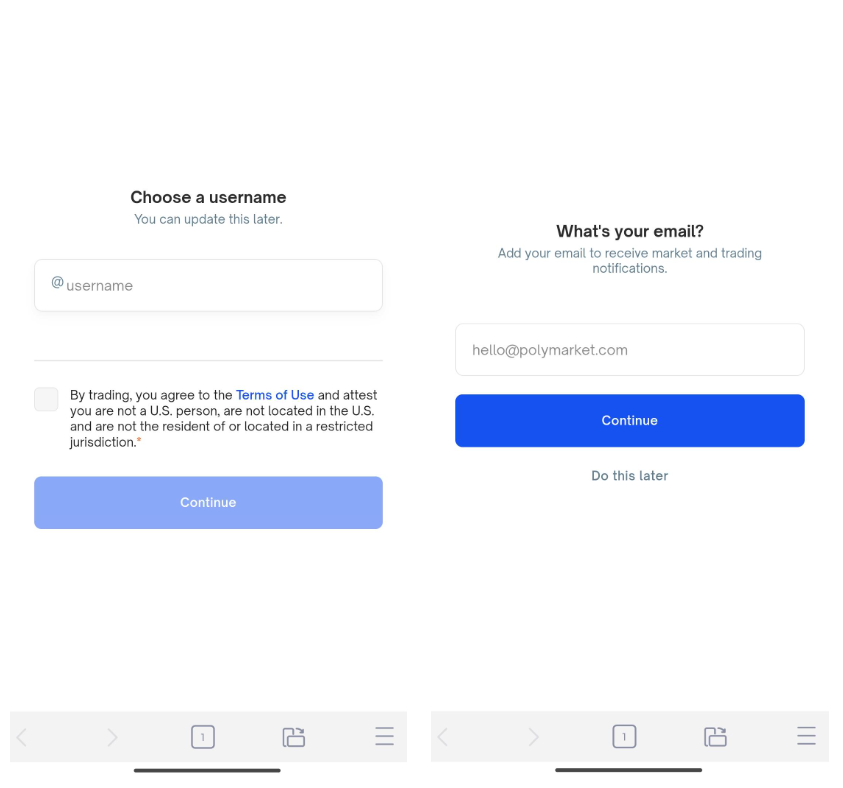
And if this is your first time using Polymarket, you may be asked to choose a username and fill in your email address. Just do so and you can update it on your profile later.
Step 4: Sign Authorization for Trading
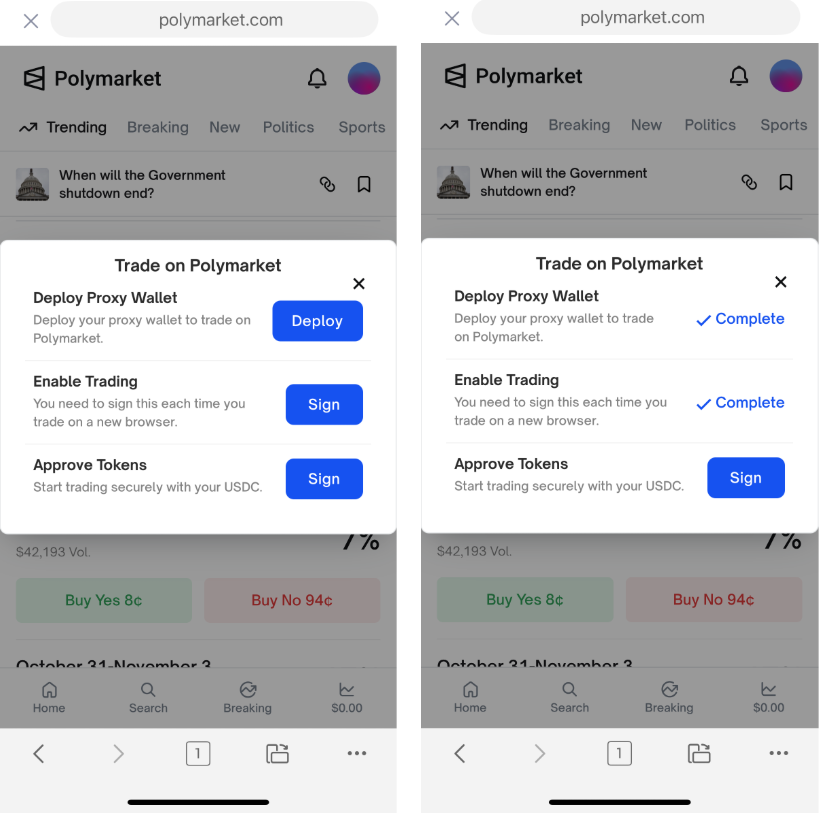
In order to trade on Polymarket, you need to deploy a proxy wallet, sign an agreement to enable trading, and approve your tokens.
Step 5: Start Trading on Polymarket
You’ll see categories like:
- 🔥 Trending
- 🗳️ Politics
- 💰 Crypto
- 🤖 Tech & AI
Click a market, such as "What price will Bitcoin hit in October?"
Select an outcome and choose Buy Yes or Buy No, enter your desired amount, and deposit.
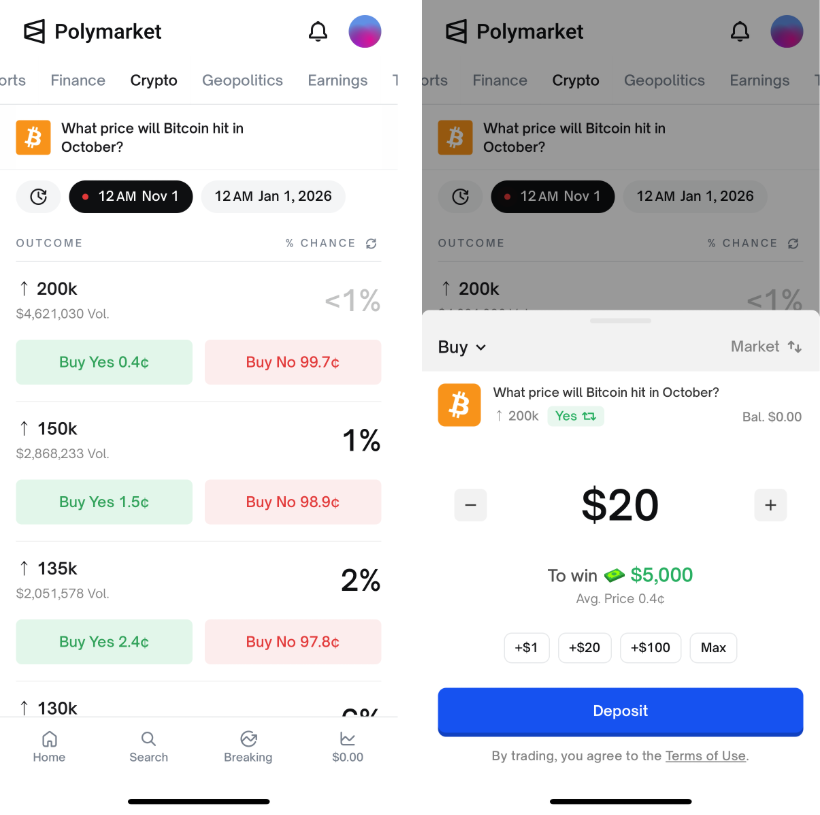
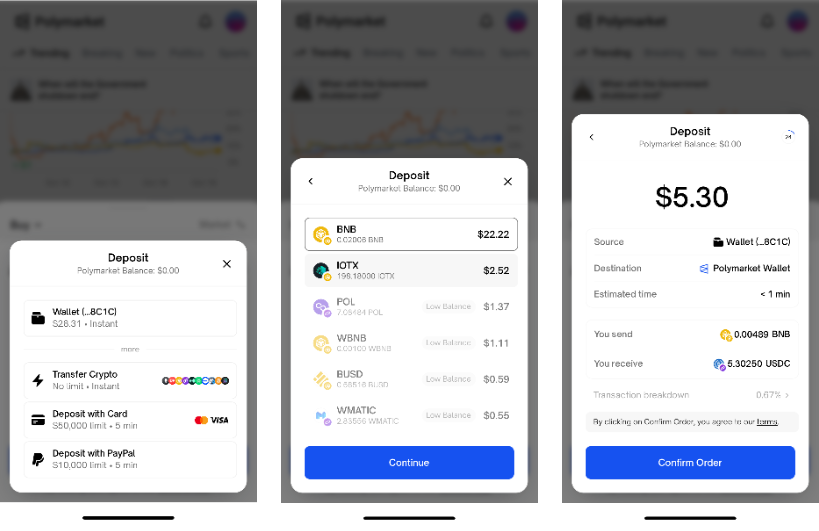
Your initial polymarket balance is $0. You need to use the balance in your wallet to deposit it into your account.
Join the Future of Predictive Trading
Polymarket isn’t just about speculation — it’s where data meets sentiment, and the wisdom of the crowd shapes global predictions.
By using ioPay Wallet, you can seamlessly connect to Polymarket, enjoy multi-chain flexibility, and be part of a transparent, data-driven Web3 prediction economy.
Download ioPay Wallet
🔗 Official website: https://iopay.me/
Key Features:
- Multi-Chain Asset Management (IoTeX, Polygon, Ethereum, BSC & more)
- Built-in dApp Browser for DeFi, GameFi & AI
- Fast, Secure, and User-Friendly